iPhone Duo 必學 25 項新功能與隱藏設定!入手後一定要會的實用技巧|塔科女子

塔科女子 · 2026-10-29 · 21 min
https://www.youtube.com/watch?v=bIw_88GKgNYVideo summary
iPhone Duo 25 招涵蓋雙 App 分割、智慧拍攝、雙面 FaceTime,以及雙電池健康度查詢。
蘋果首款摺疊機 iPhone Duo 的操作與直板 iPhone 不同,影片整理 25 項實用功能。展開後可左右分割操作兩個 App、拖曳文字與照片、配對常用組合,也能上下分割一邊看影片一邊回訊息;還可分別設定內外螢幕方向、加入最多 5 組 Touch ID 指紋,並用 Apple Watch 解鎖。拍照方面,智慧拍攝可在幾分鐘內自動拍最多 20 張,雙面預覽與史努比「看這裡」則方便替朋友、孩子和寵物取景;主相機及超廣角相機皆為 4,800 萬像素,另可開啟高解析度拍攝。影片後段示範雙面 FaceTime、邊緣光補光、背面輕點捷徑與雙電池健康度查詢,並介紹待機模式、桌面圖示及摺疊動畫設定。
Chapters
What the full analysis includes
7 chapters · 38 key points · 7 section summaries · mind map
Preview of the first chapter · 並排兩個 App:拖放資料、雙視窗與配對股票軟體和 LINE
The remaining 35 key points, section summaries and mind map are in the full analysis. Analyze this video to see everything →
This is a Tier 1 public summary
Whether the chapter key points, section summaries and mind map are public is up to the person who shared it. Want the full analysis?Submit one yourself.
More from this channel
 iPhone 轉移資料到新 iPhone 超詳細流程教學!換機備份、LINE 轉移、App、網銀與驗證器、換SIM卡快速搞定|塔科女子塔科女子iPhone 18 Pro 換機先備份 LINE 與 iCloud,再用兩機對傳,最後重綁網銀、Apple Pay 和 Google 驗證器。
 iPhone 18 Pro / Pro Max 必學 15 個功能 & 新機設定指南!相機、動態島、充電實用技巧|塔科女子塔科女子iPhone 18 Pro 新增可變光圈、對焦追蹤與參考影像,還能調整電池上限並啟用 Apple Intelligence。
 Apple Watch 12 新功能 + watchOS 27 必學設定!準備指數、步數錶面、全新健康感測系統|塔科女子塔科女子Apple Watch 12 心率每 5 秒測一次、續航仍達 24 小時,watchOS 27 新增準備指數與智慧型堆疊建議。
Related analyses
 iPhone Duo is Messier Than You ThinkMrwhosethebossThe $2,000 iPhone Duo offers a 20–50% larger video view and multitasking, but sacrifices cameras, comfort, and charging speed.
 iPhone Duo 開箱評測 (1) 用過 30 款摺疊機,蘋果這次交卷如何?折痕、多工與缺點一次看3C 達人廖阿輝阿輝實測 Apple 首款折疊機 iPhone Duo:7.6 吋內螢幕多工出色,卻重達 254 克且沒有長焦鏡頭。
 竟有這麼多缺點!?首款摺疊 iPhone Duo 開箱實測:我覺得蘋果這次翻車了電腦王阿達iPhone Duo 重 249 公克、摺痕明顯又缺長焦,作者認為首代不合格,非果粉不建議買。
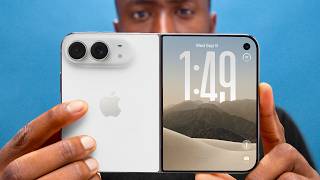 iPhone 18 Pro/Duo Impressions: MoggedMarques BrownleeApple unveils the $2,000 iPhone Duo foldable, while iPhone 18 Pro adds a 2nm A20 Pro chip and variable-aperture camera.
 iPhone Duo/18 Pro Hands On - I wasn’t readyMrwhosethebossApple’s $2,000 iPhone Duo impresses with a nearly crease-free foldable screen, while the iPhone 18 Pro gains an A20 Pro chip and costs $100 more.