Own Everything & Be Happy, Ep. 1 | DIY Router Guide
Gamers Nexus · 2026-10-26 · 58 min
https://www.youtube.com/watch?v=sJidlu3pPb4Video summary
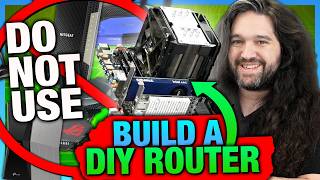
GamersNexus turns a $10 Taipei X79 computer into a router and compares pfSense, OPNsense, OpenWrt, and IPFire.
GamersNexus builds a DIY router from a discarded Taipei computer with an X79 motherboard, 32 GB of DDR3, a network card, and retired SSDs, arguing that repurposed hardware can improve privacy and avoid ISP equipment rentals. The guide explains router parts, access points, and software options, then walks through installations and setup for pfSense, OPNsense, OpenWrt, and IPFire. It contrasts pfSense’s account and internet requirements with OPNsense’s easier offline setup, and notes OpenWrt’s compact design and IPFire’s color-coded network zones. The hosts also describe ISP data profiling and AT&T’s restrictive fiber gateway, where replacing the ONT can require cloning device credentials and a full day of work. They recommend experimenting with an old router kept on standby, changing default passwords, and choosing software to match the network.
Chapters
- 0:00Own Everything And Be Happy: A Taipei sidewalk PC becomes a DIY router
- 2:06It's Just Fun: DIY router building turns privacy frustration into hands-on learning
- 4:37The FCC's Short-Sighted Router Ban: Retired DDR3 PCs can replace ISP-facing routers
- 6:33Building a DIY Router: X79 parts, 32 GB DDR3, and reused SSDs
- 9:06ISPs Mandating Hardware: AT&T Fiber passthrough, remote access, and device-based fees
- 12:31Disclaimer and Disclosures: First public DIY router project invites viewer expertise
- 13:45DIY ROUTER: GETTING STARTED: Dual-port NICs, reused storage, and router software choices
- 16:53pfSense's Crazy History: 2004 origins, Netgate’s 2012 takeover, and the 2017 OpenSense dispute
- 20:21pfSense Setup: How-To Guide: Netgate installer, WAN/LAN assignment, and ZFS choices
- 25:25pfSense Setup: How-To Guide: Web setup, an isolated LAN, and UPnP tradeoffs
- 29:02OPNsense's History: The 2015 pfSense Fork and Franco's 2025 FreeBSD Exit
- 31:44OPNsense Setup: ZFS Installation, Interface Assignment, and Difficult Guest Networking
- 35:35OpenWrt's History: WRT54G, Cisco's 2003 Acquisition, and GPL Source Release
- 36:38OpenWrt Setup: Direct SSD Flash and an Isolated 192.168.2.1 Network
- 38:55IPFire Setup: Red-Green-Blue Networks and 1.1.1.1 DNS Workarounds
- 43:22ISPs Are Evil, ft. AT&T: Gateway Certificates and Google Fiber's Direct Router Option
- 45:24Replacing ISP ONTs and Routers: BGW320 Passthrough, 8311 ONTs, RouterOS, DD-WRT, and Tomato
- 51:26Conclusion: Safe DIY Router Testing, Security Lessons, and Future VPN Projects
What the full analysis includes
18 chapters · 90 key points · 18 section summaries · mind map
Preview of the first chapter · Own Everything And Be Happy: A Taipei sidewalk PC becomes a DIY router
The remaining 87 key points, section summaries and mind map are in the full analysis. Analyze this video to see everything →
This video is 59 min. The Free plan analyzes videos up to 30 min; plans from Plus cover videos up to 2 hours.
This is a Tier 1 public summary
Whether the chapter key points, section summaries and mind map are public is up to the person who shared it. Want the full analysis?Submit one yourself.
More from this channel
 HW News - OpenAI Says You Waste RAM, Jailbreak Everything, RIP RTX 5080, Anthropic IPOGamers NexusSam Altman says personal DRAM is wasteful as Nvidia’s RTX 5080 disappears and console jailbreaks expand.
 A New Best: Cooler Master HAF II 500 Case Review | Thermals, Fan Tests, & Build QualityGamers NexusCooler Master’s $200 HAF II 500 sets a new noise-normalized thermal record with massive 220 mm fans, despite flimsy cable hooks.
 AI Companies Are Setting Money on Fire | OpenAI's Pre-Bailout Bailout PlanGamers NexusOpenAI lost $38.5 billion in 2025 while pursuing a $280 billion revenue target and reportedly offering the U.S. government a 5% stake.
 It’s Time to Poison AI | GN Mega Charts Update & LLM CountermeasuresGamers NexusGamers Nexus is testing poisoned chart images to deter AI scraping while publishing thousands of free hardware benchmarks.
 HW News - NVIDIA Employee Detained, CXMT RAM, AMD Has Lost Its Damn MindGamers NexusAMD’s $280 RX 9050 pairs 8GB with a power cable, while CXMT claims 7.67% of global DRAM share.
Related analyses
 Fractal Summit Case Review | Thermal Benchmarks, Noise, & Cable ManagementGamers NexusGamersNexus finds Fractal’s $170 Summit looks distinctive but trails the Meshify 3 in cooling and value.
 LG Says We're Fake NewsGamers NexusGamersNexus challenges LG’s denial, reports HDMI audio tracking and location data, and questions broad consent terms.
 Open Models Change The Economics of AIY CombinatorOllama CEO Jeffrey Morgan says open models could handle 80–90% of enterprise tokens, while cloud token use has surged 150x.